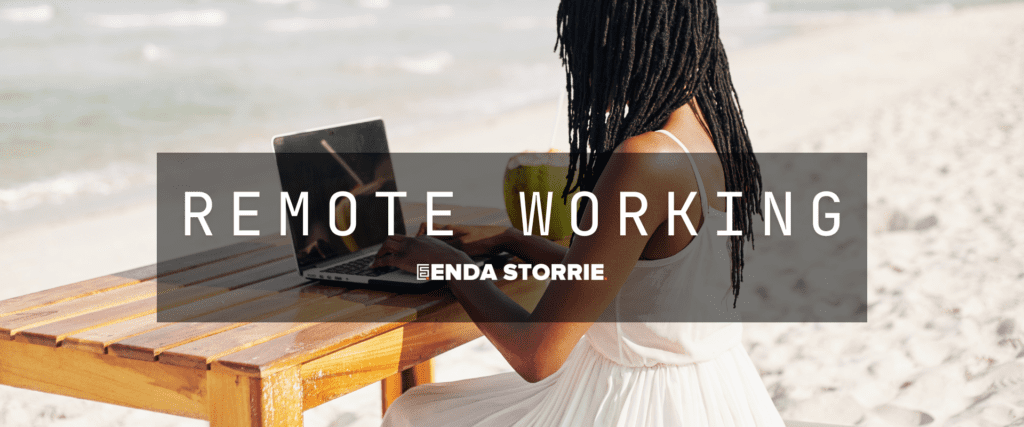
Simple time management for working from home: build a routine, protect focus time, batch tasks and finish the day without burning out.

Establishing My Dedicated Workspace and Routine
When I first transitioned to working from home, one of the most crucial steps I took was to define a clear boundary between my work life and my personal life. This wasn't just a psychological separation; it was a physical one, too. I quickly realized that if my laptop was always on the kitchen counter or my bed became my impromptu desk, my brain struggled to switch off. The lines blurred, and I found myself constantly "on call," even when I wasn't actively working.
Creating My Physical Workspace
My dedicated workspace isn't a fancy home office with ergonomic everything, but it is a distinct area. I chose a corner of my spare room, away from the main living areas. This means I don't see my work setup when I'm relaxing on the sofa, and my family knows that when I'm in that corner, I'm generally focused on work.
I invested in a comfortable chair that supports my back for long hours and a desk large enough to accommodate my monitor, keyboard, and notebook. Personalizing this space with a plant, a few framed photos, and good lighting also made it feel more inviting and less like a sterile cubicle. This small act of claiming a space has been instrumental in signaling to my brain when it's time to work and when it's time to unwind.
It also allows me to leave my work there at the end of the day, physically closing off that part of my life until the next morning.
Crafting My Daily Schedule
Beyond the physical space, I understood the importance of a structured routine. Initially, I relished the freedom of setting my own hours, but this quickly led to procrastination and an unpredictable workday. Now, I start my day at roughly the same time every morning, just as I would if I were commuting to an office. This includes my morning coffee ritual, a quick check of personal emails, and then a firm shift into work mode. I block out specific times for different types of tasks. For example, I dedicate my mornings to tasks requiring deep focus, as that's when my energy levels are highest. Afternoons are often reserved for meetings, emails, and less intensive administrative duties.
I also schedule regular breaks. These aren't just quick trips to the kitchen; I consciously step away from my desk. Sometimes it's a short walk around the block, sometimes it's stretching, or even just sitting on the patio for a few minutes with a cup of tea, completely disengaged from screens. These breaks are vital for preventing burnout and maintaining my focus throughout the day. I've found that breaking my day into manageable chunks, with built-in recovery periods, makes me far more productive than trying to power through for hours on end.
If you're looking for additional insights on improving your productivity while working from home, you might find this article on effective remote work strategies helpful. It offers practical tips and techniques that complement the advice on time management found in "How to Manage Your Time When Working From Home." You can read more about it here: Effective Remote Work Strategies.
Prioritizing Tasks and Managing My Energy
Working from home offers flexibility, but it also demands a higher degree of self-discipline in managing what I do and when. I've learned that simply having a to-do list isn't enough; I need a system for prioritizing those tasks and, equally important, for understanding and managing my own energy levels throughout the day.
Implementing a Prioritization Framework
My approach to task prioritization often involves a combination of the Eisenhower Matrix and a simple numbering system. At the beginning of each week, usually on Sunday evening, I dedicate about 30 minutes to planning. I list all my known tasks for the upcoming week. Then, for each task, I ask myself two questions: "Is it urgent?" and "Is it important?"
- Urgent and Important (Do First): These are my top priorities. Deadlines are looming, or the task is critical to a project's success. I tackle these first thing in the morning when my focus is sharpest.
- Important but Not Urgent (Schedule): These tasks contribute to long-term goals and strategic development. They don't require immediate action but are crucial for future success. I schedule dedicated blocks of time for these, ensuring they don't get pushed aside by more immediate demands.
- Urgent but Not Important (Delegate/Automate): In a traditional office, I might delegate these. Working solo, I look for ways to automate them or streamline them as much as possible. If it's a recurring administrative task, I investigate tools or templates to reduce the time spent.
- Neither Urgent nor Important (Eliminate): These are often distractions or tasks that don't genuinely contribute to my goals. I try to be ruthless in eliminating them or pushing them far down my list, often reconsidering if they even need doing.
Once categorized, I assign a numerical priority (1, 2, 3) within each day's plan. This keeps me focused on the truly impactful work and prevents me from getting bogged down in low-value activities.
Understanding My Chronotype and Energy Fluctuations
I've become much more attuned to my personal energy rhythms since working remotely. I discovered I'm most productive and creative in the mornings. My brain is fresh, and I can concentrate deeply for extended periods. This insight has drastically changed how I structure my day. I schedule my most complex and demanding tasks for these peak energy hours. This might include writing detailed reports, developing new strategies, or tackling challenging problem-solving.
As the afternoon progresses, my energy naturally dips. This is when I switch to tasks that require less intense cognitive effort. These might include responding to emails, attending meetings (which often feel less taxing in the afternoon), light administrative work, or brainstorming sessions where I can be more collaborative and less intensely focused. I also make sure to incorporate my scheduled breaks during these dip periods, using them to recharge before my energy completely wanes. Listening to my body and mind, rather than forcing myself to maintain peak performance all day, has significantly improved both my productivity and my overall well-being. It’s about working smarter, aligning tasks with my natural ebb and flow, rather than just working harder.
+ Join Our Writing Community for FREE
Chain Story Online
Fun, free, flash fiction writing with writers just like you. You have ~100 words to begin a story or continue a story and make it yours.
Story Bible Studio
Digital space for writers to plot, plan, and build better stories. Designed by writers for writers. Your final draft awaits.
Leveraging Technology and Tools for Efficiency
When working from home, technology isn't just a convenience; it's a critical enabler of productivity and effective time management. I’ve embraced various digital tools and learned to use them strategically to streamline my workflow, minimize distractions, and keep myself organized.
Utilizing Productivity and Communication Software
My toolkit for productivity and communication has evolved over time, but there are a few core applications I rely on daily. For project management and task tracking, I use an online platform (like Trello or Asana, depending on the project's complexity). This allows me to break down larger projects into smaller, manageable tasks, assign deadlines, and track my progress visually. Seeing tasks move from "To Do" to "Doing" to "Done" provides a sense of accomplishment and keeps me motivated. It also helps me keep track of dependencies and ensures I don't miss critical steps.
For communication, particularly with my team or clients, I leverage video conferencing tools (Zoom, Microsoft Teams) for scheduled meetings and instant messaging platforms (Slack) for quick queries and real-time collaboration. The key here is not just having the tools but using them effectively. I try to keep informal chats on Slack to avoid unnecessary emails, and I aim to make meetings as efficient as possible by having a clear agenda and time limits. I also set boundaries around notifications, ensuring I'm not constantly interrupted, which I'll elaborate on later.
Document sharing and collaboration are handled through cloud-based platforms like Google Drive or SharePoint. This ensures everyone has access to the latest versions of files, and we can co-edit in real-time, eliminating the need for endless email attachments and version control nightmares. I also use a personal digital notebook (Evernote or OneNote) for capturing ideas, meeting notes, and compiling research, making it easy to search and retrieve information later.
Implementing Time-Tracking and Focus Aids
While I'm generally disciplined, I've found that time-tracking tools can be incredibly insightful. I occasionally use a simple timer or a more robust time-tracking app to monitor how long I spend on specific tasks or projects. This isn't about micromanaging myself, but rather about gaining a realistic understanding of how long tasks actually take versus how long I think they will take. This data then feeds back into my planning process, helping me to set more accurate expectations and avoid overcommitting. If I consistently underestimate a certain type of task, I adjust my future scheduling accordingly.
Beyond tracking, I also use focus-enhancing techniques and tools. The Pomodoro Technique is one I often turn to: 25 minutes of focused work followed by a 5-minute break. There are numerous apps that facilitate this, providing gentle reminders to start and stop. This method helps me break down large tasks, prevents mental fatigue, and ensures I get up and move frequently.
I also utilize website blockers or "do not disturb" modes on my devices during intense focus periods. This prevents me from mindlessly checking social media or personal emails when I should be concentrating on work. For creative tasks, I sometimes use noise-canceling headphones with ambient music or binaural beats to block out household sounds and enhance my concentration. These technological aids, when used intentionally, are powerful allies in maintaining focus and managing my time effectively.
Discover a new way to collaborate on storytelling with Chain Story Online. Writers from around the world can contribute to ongoing narratives at Chain Story Online. Unleash your creativity and join the community at Chain Story Online.
Minimizing Distractions and Maintaining Focus
One of the biggest challenges I face when working from home is the constant barrage of potential distractions. Unlike an office environment where most interruptions are work-related, at home, they can come from countless sources – family members, household chores, the allure of personal hobbies, or the ever-present digital noise. I've developed several strategies to create a focused environment and protect my valuable work time.
Setting Boundaries with Family and Housemates
This has been a learning curve, especially in the initial stages. My family (and even my pets!) didn't always understand that "being home" didn't mean "being available." I had to have explicit conversations with them. I explained my work schedule and designated my workspace as a "no-interruption zone" during my working hours, except for genuine emergencies. This is where my physical workspace comes in handy – when I'm in my office corner with my door (if I had one, or my headphone signal) on, it means I'm focused.
For children, this might involve setting up engaging activities for them or coordinating with a partner or caregiver. For housemates, it could mean agreeing on quiet hours or signaling when deep work is required. It's an ongoing process of communication and mutual respect. I also try to make myself genuinely present during my scheduled breaks and after work, so they feel acknowledged and don't feel the need to interrupt during my focused periods. This balance is crucial for maintaining both productivity and positive relationships at home.
Digital Distraction Management
The digital world is a double-edged sword. While technology aids my productivity, it also presents the most persistent distractions. I've adopted a multi-pronged approach to manage digital interruptions:
- Notification Control: This is paramount. I've turned off most non-essential notifications on my phone and computer during work hours. Social media apps are silenced, and personal email accounts are closed or set to only check at specific times. For work-related communication, I distinguish between urgent and non-urgent. Instant messaging apps are for quick queries, but I avoid having their notifications pop up constantly. I often mute group chats unless they are critical to my immediate task.
- Structured Screen Time: I avoid aimlessly browsing the internet. If I need to research something unrelated to work, I bookmark it for later or add it to a "personal to-do" list that I tackle after hours. Similarly, I resist the urge to check news feeds or social media "just for a minute." Those minutes quickly add up.
- Utilizing Focus Modes: Many operating systems and applications now offer "Focus Modes" or "Do Not Disturb" settings. I activate these during my deep work blocks. They silence notifications and can even block access to certain applications or websites for a set period.
- Email Management: I don't keep my email inbox open and refreshing all day. Instead, I schedule specific times to check and respond to emails, usually 2-3 times a day (e.g., first thing in the morning, after lunch, and before wrapping up). This prevents me from being pulled into a reactive loop and allows me to tackle emails in batches rather than as constant interruptions.
By proactively managing these internal and external distractions, I've created a more conducive environment for focused work, which in turn significantly boosts my efficiency and reduces stress.
When working from home, effective time management is crucial for maintaining productivity and achieving a healthy work-life balance. One helpful resource that complements this topic is an article about leveraging WordPress for business success, which provides insights on how to optimize your online presence and streamline your workflow. You can read more about it in this informative article. By integrating these strategies, you can enhance your efficiency and focus while navigating the challenges of remote work.
Protecting My Well-being and Preventing Burnout
Working from home offers immense freedom, but it also carries the risk of blurring the lines between work and personal life to an unhealthy degree. I’ve learned through experience that effective time management isn't just about maximizing output; it's crucially about protecting my mental and physical well-being to prevent burnout. Without a conscious effort to maintain balance, the flexibility can quickly turn into an always-on culture.
Deliberately Disconnecting from Work
The most critical step I take to prevent burnout is the deliberate act of disconnecting. When my workday ends, it ends. I have a strict "shutdown ritual" that helps me transition. This usually involves:
- A "End of Day" Checklist: I quickly review my accomplishments for the day and jot down the top priorities for tomorrow. This clears my mind and prevents me from carrying incomplete tasks into my personal time.
- Closing All Work Applications: I close all work-related browser tabs, documents, communication tools, and email. This physical act signals to my brain that work is over.
- Leaving My Workspace: I physically step away from my dedicated workspace. I don't bring my laptop to the living room or check emails from my phone in bed. My work area remains my work area, and the rest of my home is for personal life.
- Transition Activities: I engage in a "transition activity" immediately after work. This might be a short walk, a workout, cooking dinner, or simply reading a chapter of a book. This buffer helps me shift gears from "work mode" to "personal mode" and prevents work thoughts from immediately bleeding into my evening.
I also have a firm rule about checking work emails or messages outside of working hours. Unless there's an absolute emergency (which is rare), I resist the urge. My evenings and weekends are sacred for personal pursuits, relaxation, and spending time with loved ones.
Incorporating Self-Care and Physical Activity
Maintaining my physical and mental health is non-negotiable for sustainable work-from-home productivity. I view self-care not as a luxury but as a necessary component of my time management strategy.
- Regular Exercise: I prioritize physical activity. Whether it's a brisk walk, a home workout, or attending a fitness class, I make sure to move my body daily. Exercise is a fantastic stress reliever and energy booster. It helps clear my head, improves my mood, and counteracts the sedentary nature of desk work. I often schedule my workouts in the late afternoon, as a transition from work to evening, or first thing in the morning to kickstart my day.
- Mindfulness and Relaxation: I dedicate time to practices that help me relax and de-stress. This includes short meditation sessions, deep breathing exercises, or simply listening to calming music. These moments of quiet reflection help me manage anxiety, improve my focus, and cultivate a sense of inner calm.
- Healthy Eating and Hydration: I pay close attention to my diet. Preparing healthy meals at home is easier when working remotely, and I make sure to fuel my body with nutritious food. Staying well-hydrated throughout the day is also crucial for maintaining energy and cognitive function. I keep a water bottle at my desk and refill it regularly.
- Adequate Sleep: This is probably the most fundamental aspect of my well-being. I aim for 7-8 hours of quality sleep every night. I maintain a consistent sleep schedule, even on weekends, and I avoid screens for at least an hour before bedtime. A well-rested mind is a productive mind, and I've found that sacrificing sleep invariably leads to decreased focus, irritability, and overall reduced efficiency the next day.
Final Thoughts on Time Management
By consciously embedding these practices into my daily and weekly routine, I ensure that I'm not just productive, but also healthy and resilient, making my work-from-home journey sustainable in the long run.
Related reading: The Right to Request Remote Work in Ireland Explained · Video Call Fatigue: Why It Happens and How to Beat It
Enda Storrie is a writer and the creator of Story Bible, the planning journal and app for writers, and Chain Story Online, a free collaborative storytelling platform.