How to back up your photos so you never lose them: cloud storage, external drives, the 3-2-1 rule and automatic phone backups.
The Inevitable Photo Loss: A Personal Journey
I still remember the day my old laptop decided to spontaneously combust, taking with it years of precious memories. Childhood photos, my first solo trip abroad, milestones with loved ones – all gone in a puff of smoke and a sickening silence. That experience, a gut punch of digital loss, etched itself into my memory and taught me a crucial lesson: relying on a single device for my photo collection is a recipe for heartbreak. Since then, I've become a meticulous archivist of my digital life, especially my photos.
I understand the emotional weight those pixels carry, the stories they tell, and the moments they encapsulate. This isn't just about data; it's about preserving my personal history, my narrative, and the visual tapestry of my life. My journey from digital oblivion to comprehensive backup has been one of trial and error, research, and a commitment to never again face that desolate feeling of lost memories. I want to share what I've learned, the strategies I’ve implemented, and the mindset that now ensures my cherished photos are safe, sound, and always accessible.
If you're looking for more tips on preserving your precious memories, check out this related article on effective photo organization strategies. It complements the guide on how to back up your photos so you never lose them by providing insights into how to categorize and manage your digital images efficiently. You can read it here: Effective Photo Organization Strategies.
Understanding the "Why" Behind Photo Backups

Before diving into the "how," it's crucial to solidify the "why." For me, it goes beyond mere sentimentality. I consider my photos an invaluable asset, a chronological record of my existence. Think about it: our cameras, be they smartphones or dedicated DSLRs, are constantly capturing snippets of our lives. These aren't just snapshots; they're historical documents.
The Fragility of Digital Data
Unlike physical prints, which can degrade over time but often leave a tangible trace, digital files can vanish in an instant. A corrupted hard drive, a stolen device, a software glitch, a spilled drink – the possibilities for data loss are frighteningly numerous. I've personally experienced the frustration of a seemingly healthy external drive suddenly failing, rendering its contents inaccessible. It's a stark reminder that digital storage, while convenient, is inherently fragile. It’s a false sense of security to assume that just because I can see a file on my screen, it will always be there.
The Value of Memories
Beyond the technical fragility, there's the irreplaceable value of the memories themselves. My photos evoke emotions, transport me back to specific moments, and allow me to share experiences with others. They are conversation starters, legacy builders, and windows into my past. Losing them would be like losing chapters of my autobiography. I often revisit old albums, reminiscing about people, places, and events, and each time, I’m grateful I took the time to secure those images. It's an investment in my future self, a gift I give to my older self who will undoubtedly cherish these visual reminders even more.
The Cost of Recovery vs. Prevention
I've looked into data recovery services, and the cost can be exorbitant, often with no guarantee of success. Prevention, on the other hand, is significantly more affordable and offers peace of mind. Investing a little time and money upfront in a robust backup strategy is far wiser than facing the emotional and financial toll of attempting to recover lost data. My experience has shown me that a proactive approach is always the best approach when it comes to digital assets.
Implementing a Robust 3-2-1 Backup Strategy
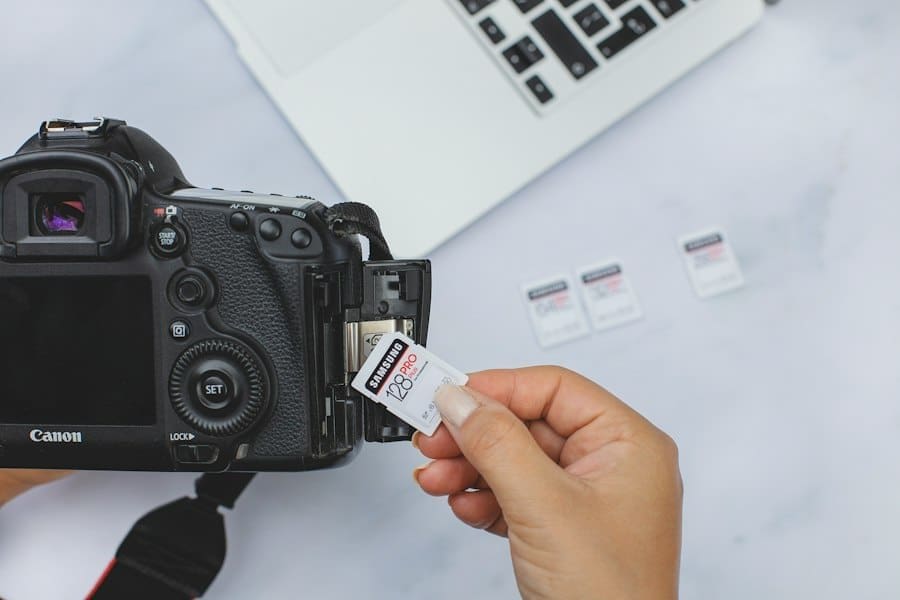
My backup philosophy centers around the widely recommended "3-2-1 rule." This rule isn't just a suggestion; it's a golden standard that provides comprehensive protection against various failure scenarios. It's a simple concept, but one that requires discipline and a bit of planning.
Three Copies of Your Data
This means I maintain at least three separate copies of all my photos. My primary collection lives on my main computer's hard drive. This is where I edit, organize, and frequently access my images. However, I never consider this my only copy. Having three copies ensures that if one fails, I still have two others to rely on. It’s like having multiple safety nets.
+ Join Our Writing Community for FREE
Chain Story Online
Fun, free, flash fiction writing with writers just like you. You have ~100 words to begin a story or continue a story and make it yours.
Story Bible Studio
Digital space for writers to plot, plan, and build better stories. Designed by writers for writers. Your final draft awaits.
Two Different Types of Storage Media
For my three copies, I ensure they are stored on at least two different types of storage media. This is crucial because different media types have different vulnerabilities. For instance, if I only backed up to two external hard drives, and both were susceptible to a power surge, I could still lose everything. My current setup typically involves:
External Hard Drives
These are my go-to for local backups. I have two separate external hard drives. One is a primary backup, and the other is a rotating backup that I update less frequently and sometimes store off-site. I prefer spinning hard drives for their cost-effectiveness when dealing with large volumes of data, but I'm also starting to incorporate more solid-state drives (SSDs) for their speed and durability for my most critical and frequently accessed photo libraries. I make sure these drives are high quality, from reputable brands, and I monitor their health regularly.
Cloud Storage
This is my second type of storage media and arguably the most important for off-site protection. I rely on a reputable cloud storage provider to host a third copy of all my photos. This protects me against local disasters like fire, theft, or a catastrophic computer failure that could affect both my computer and my external drives. The beauty of cloud storage is its accessibility from anywhere with an internet connection, offering an additional layer of convenience. I choose providers with strong encryption and a good track record of reliability.
One Copy Off-Site
This is the ultimate safeguard against local catastrophes. My cloud storage fulfills this requirement perfectly. If my house were to burn down or my entire apartment building were to be flooded, my photos would still be safe and sound in the cloud, residing in data centers thousands of miles away. Alternatively, I've also considered a rotating external hard drive that I keep at a friend's house or a safety deposit box, but the convenience and automatic syncing of cloud storage make it my preferred off-site solution.
Automating and Maintaining My Backups
Manual backups are prone to human error and forgetfulness. My goal is to make my backup process as seamless and automatic as possible. This way, I know my photos are constantly being protected without me having to remember to do it every single day.
Automated Cloud Syncing
My primary cloud storage provider offers desktop syncing software. Once installed, I designate the folders containing my photos to be automatically uploaded and synchronized. This means as soon as I import new photos to my computer and place them in the designated folders, they are immediately queued for upload to the cloud. This continuous synchronization is a game-changer, ensuring that even the most recent additions are protected within minutes of being created. I’ve configured it to run in the background, so it doesn’t interrupt my workflow.
Scheduled Local Backups
For my external hard drives, I utilize backup software that allows me to schedule regular backups. I typically set these to run weekly, often overnight or during times when I'm not actively using my computer. The software performs incremental backups, meaning it only copies new or changed files, making the process much faster after the initial full backup. I also make it a habit to occasionally perform a full manual backup to one of my external drives, just to ensure everything is working as expected.
Regular Verification and Testing
A backup is only as good as its ability to restore your data. I make it a point to periodically verify my backups. This doesn't mean restoring everything, but rather spot-checking files from my external drives and cloud storage to ensure they are intact and accessible. I might pick a random folder from a few months ago and attempt to open a few images. This simple act gives me confidence that my backup strategy is actually working. I also check the health status of my external drives using disk utility tools to catch potential issues before they become critical failures.
Maintaining Redundancy and Refreshing Storage
Technology evolves, and storage media has a finite lifespan. I don't just "set it and forget it." Every few years, I evaluate my storage solutions. Hard drives can fail, and cloud providers can change their terms or pricing. I consider replacing older external drives every 3-5 years, even if they appear to be functioning correctly, as a preventative measure. I also keep an eye on the cloud storage market, ensuring I'm getting good value and reliable service. My goal is to always maintain my 3-2-1 rule, even as my storage needs and available technologies change.
If you're looking for more tips on safeguarding your digital memories, you might find the article on photo organization and storage strategies particularly helpful. It offers insights into various methods for keeping your images safe and accessible. You can check it out here to enhance your understanding of how to effectively manage your photo backups.
If you're looking for a collaborative writing platform, check out Chain Story Online. It's a great way to connect with other writers and create stories together. Many users have found inspiration and creativity through Chain Story Online.
Beyond Backups: Organization and Accessibility
While backups are paramount for preventing loss, a well-organized photo library makes those backed-up photos actually usable and enjoyable. What good is a perfectly backed-up photo if I can't find it? This is an area where I’ve invested a lot of time, and it pays dividends in usability.
A Consistent Folder Structure
My photo organization begins with a clear, logical folder structure. I primarily organize my photos by year, and then within each year, by event or month. For example, my main photo folder might have subfolders like "2023," "2022," etc. Inside "2023," I'll have "2023-01_NewYearsTrip," "2023-03_FamilyGathering," and so on. This chronological and event-based approach makes it incredibly easy to navigate and locate specific memories. I apply this consistent structure across all my storage locations – my computer, external drives, and cloud.
Naming Conventions for Files
Within these folders, I use a consistent naming convention for my photo files. While camera filenames are often a jumble of letters and numbers, I rename my most important photos. I often include the date and a brief description, e.g., "2023-01-05_ParisEiffelTowerSunset_001.jpg." This makes it easier to identify photos at a glance, even outside of a photo management application. For less critical bulk photos, I often rely on the folder structure and metadata.
Utilizing Photo Management Software
While I love my structured folders, photo management software takes organization to the next level. I use an application that allows me to:
Tagging and Keywords
This is incredibly powerful. I tag my photos with keywords (e.g., "vacation," "beach," "birthday," names of people, specific locations). This allows me to search for photos across different years and events. For instance, if I want to see all photos of my dog, I simply search for "dog," and every photo I've tagged with that keyword appears, regardless of where it's stored in my folder hierarchy.
Geotagging and Facial Recognition
Many modern photo management applications offer geotagging (linking photos to their geographic location) and even facial recognition features. While I don't rely solely on these, they can be incredibly helpful for finding photos from a specific trip or identifying individuals in group shots. I find geotagging particularly useful when I want to remember exactly where a beautiful landscape shot was taken.
Non-Destructive Editing
My chosen software allows for non-destructive editing. This means any adjustments I make (cropping, color correction, etc.) are saved as instructions alongside the original file, rather than overwriting it. This preserves the original image, which is crucial for archival purposes and gives me the flexibility to revert to the original at any time.
To ensure your precious memories are safe, it's essential to explore various backup methods for your photos. A helpful resource on this topic can be found in the article about digital storage solutions, which offers insights into different platforms and strategies for safeguarding your images. By understanding these options, you can choose the best approach to prevent any loss of your cherished photographs.
Final Thoughts on Back Up Your Photos
Implementing this comprehensive backup and organization strategy has transformed my relationship with my digital memories. The anxiety I once felt about potential loss has been replaced by a deep sense of calm. I know that no matter what unforeseen digital catastrophe might occur, my photos – the visual narrative of my life – are safe. It's an ongoing process, not a one-time task. I regularly review my strategy, update my software, and consider new technologies.
But the core principles of the 3-2-1 rule, combined with meticulous organization, have proven to be an unbreakable shield for my cherished photographs. My journey from that devastating laptop failure to my current state of digital security has been empowering, and I hope by sharing my process, others can avoid the heartache I once experienced. My photos are more than just files; they are my history, and ensuring their survival is an investment I will always prioritize.
Next step: Want to go further? Read the best budget smartphones.
Related reading: How to Declutter Your Digital Life · How to Speed Up a Slow Phone
Enda Storrie is a writer and the creator of Story Bible, the planning journal and app for writers, and Chain Story Online, a free collaborative storytelling platform.