Build a portfolio website for artists and writers: what to include, the best platforms, layout tips and how to make your work easy to find.
Understanding the 'Why' Behind My Portfolio
For artists and writers like myself, a portfolio isn't just a nice-to-have; it's an absolute necessity. In today's digital landscape, the days of lugging around physical binders or mailing out printed manuscripts are largely behind us. My online portfolio serves as my always-on, globally accessible gallery and library, a curated display of my best work that speaks volumes about my capabilities and style. It’s not just about showcasing finished pieces; it’s about demonstrating my process, my versatility, and my unique voice. This digital storefront allows potential clients, collaborators, and even just curious admirers to experience my work on their own terms, at any time, from anywhere. It's my personal brand ambassador, working tirelessly even when I'm asleep.
The Purpose of My Digital Showcase
My portfolio's primary purpose is to win me work. Whether it's a commission for a new illustration, a freelance writing gig, or an opportunity to exhibit my art, my website is the first impression. It needs to be clear, compelling, and easy to navigate. Beyond securing paid projects, it also acts as a central hub for my professional identity. It’s where I direct people when they ask what I do, and it’s a living testament to my evolving skills and creative journey. I also use it to connect with other creatives, fostering a sense of community and potentially leading to exciting collaborative ventures.
Differentiating Myself from the Crowd
In a saturated market, standing out is crucial. My portfolio is designed to be more than just a collection of images or text files; it's a reflection of my personality and artistic philosophy. I aim for a unique aesthetic that complements my work, whether it’s through custom branding, specific color palettes, or thoughtfully written project descriptions that reveal my process and the story behind each piece. This intentionality helps me to avoid looking like every other artist or writer and makes my site memorable. I believe that my portfolio should not only show what I can do but also who I am as a creative individual.
Creating a portfolio website is an essential step for artists and writers looking to showcase their work and attract potential clients. For those interested in leveraging the power of WordPress to build their online presence, a related article titled "Unleashing the Power of WordPress Websites for Your Business Success" offers valuable insights. This resource provides tips on how to effectively use WordPress to create a professional and visually appealing website that can enhance your portfolio. You can read the article here: Unleashing the Power of WordPress Websites for Your Business Success.
Planning My Portfolio's Structure and Content
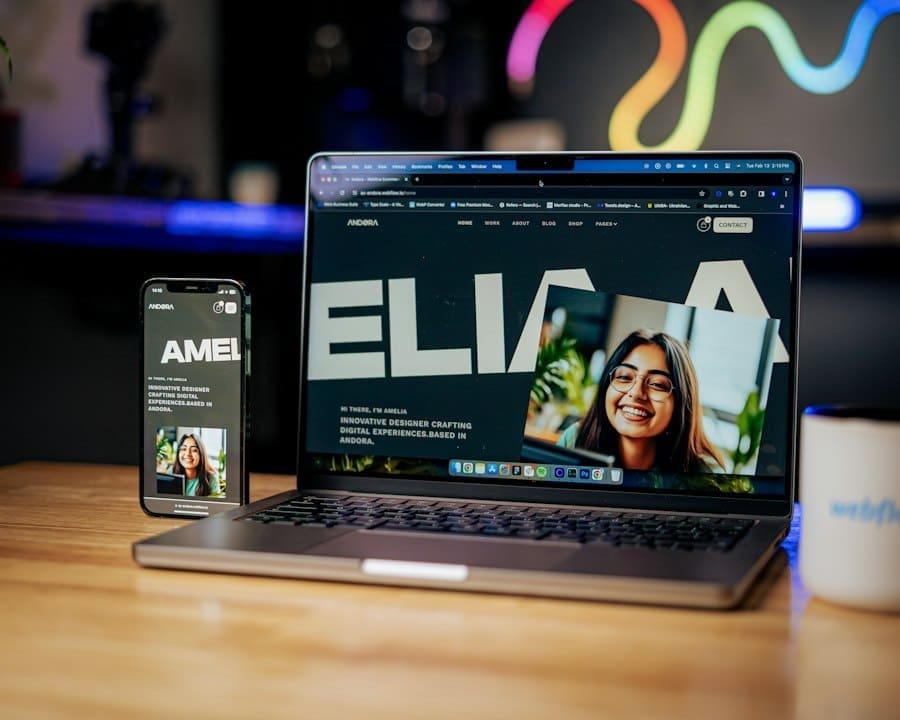
Before I even think about choosing a platform or designing a layout, I dedicate significant time to planning. This initial phase is critical because it lays the foundation for a cohesive and effective website. I think of it like an architect designing a building; I need a blueprint before I start laying bricks. My goal is to create a user-friendly experience that effortlessly guides visitors through my work and ultimately encourages them to connect with me.
Curating My Best Work
This is arguably the most challenging part for me. As an artist and writer, I have a tendency to want to include everything I've ever created. However, I've learned that quality triumphs over quantity. My portfolio isn't a dumpster; it's a curated gallery. I meticulously select only my strongest, most relevant pieces that truly showcase my skills and align with the type of work I want to attract.
For art, this means high-resolution images with consistent lighting and framing. For writing, it means polished pieces that demonstrate my range, research abilities, and unique voice. I often ask for feedback from trusted peers or mentors to help me make these tough decisions, as it's hard to be objective about my own work.
Crafting Engaging Project Descriptions
Each piece in my portfolio isn't just an image or a block of text; it's a story. For every artwork, I include a concise description that covers the medium, dimensions (if applicable), the concept behind the piece, and sometimes even the inspiration or challenges I faced during its creation. For writing samples, I provide context: the client (if applicable and permissible), the objective of the piece, and its impact. This narrative approach transforms passive viewing into an engaging experience, giving visitors insight into my thought process and problem-solving skills. I also consider including testimonials or client feedback where appropriate, as social proof can be incredibly powerful.
Including an About Me Section
My "About Me" page is where I share my story, my passion, and my professional background. It’s not just a dry resume; it’s an opportunity to connect with visitors on a personal level. I include a professional headshot, a brief bio that highlights my unique selling points, my creative philosophy, and perhaps a touch of my personality. I also list my education, awards, and any relevant experience that builds credibility. I make sure to include a call to action on this page, inviting visitors to contact me or explore my work further. This section helps humanize my brand and builds trust.
Designing a User-Friendly Contact Page
My contact page is straightforward and accessible. I include multiple ways to get in touch: a contact form, my professional email address, and links to my relevant social media profiles (LinkedIn, Instagram, etc.). I avoid making visitors hunt for this information. I also sometimes include a brief FAQ section on this page to answer common questions about my process, pricing (if applicable), or availability, which can streamline initial inquiries. Clear calls to action are essential here, such as "Request a Commission" or "Discuss Your Project."
+ Join Our Writing Community for FREE
Chain Story Online
Fun, free, flash fiction writing with writers just like you. You have ~100 words to begin a story or continue a story and make it yours.
Story Bible Studio
Digital space for writers to plot, plan, and build better stories. Designed by writers for writers. Your final draft awaits.
Choosing the Right Platform for My Needs

This is where the technical decisions begin, and it's a crucial step that impacts my long-term success. The platform I choose needs to balance ease of use with flexibility, scalability, and affordability. I consider both website builders and content management systems (CMS), weighing their pros and cons carefully against my specific requirements as an artist and writer.
Website Builders: Simplicity and Speed
For those who are less tech-savvy or want to get a professional-looking site up quickly, website builders like Squarespace, Wix, and Adobe Portfolio are excellent choices. I appreciate their drag-and-drop interfaces and pre-designed templates, which make the design process incredibly intuitive. They handle all the hosting, security, and updates, freeing me up to focus on my creative work.
Squarespace
I've often considered Squarespace for its beautiful, minimalist templates that are particularly well-suited for visual artists and photographers. Their focus on aesthetic appeal means my artwork looks stunning, and their blogging capabilities are robust enough for my writing samples. The e-commerce integration is also a plus if I ever decide to sell prints or books directly from my site. While it can be a bit pricier than some alternatives, the value in terms of design and ease of use is significant.
Wix
Wix offers a lot of creative freedom with its intuitive drag-and-drop editor and extensive app market. It's highly customizable, allowing me to build a truly unique site without coding. While it might have a steeper learning curve than Squarespace due to its vast options, it also provides greater flexibility for complex layouts or specific functionalities I might need down the line. I've seen some impressive artist portfolios built with Wix that really leverage its design capabilities.
Adobe Portfolio
As an Adobe Creative Cloud subscriber, Adobe Portfolio is an incredibly convenient option for me. It integrates seamlessly with my other Adobe applications, allowing me to easily import work from Photoshop, Illustrator, or InDesign. It's specifically designed for creatives, offering clean layouts that put the work front and center. It's a quick and easy way to create a professional-looking site, especially if my primary goal is a clean, gallery-style portfolio. The main limitation is that it's less flexible for extensive blogging or e-commerce features compared to other platforms.
Content Management Systems (CMS): Flexibility and Control
For those who desire more control, customization, and scalability, a Content Management System (CMS) like WordPress (self-hosted) is often the preferred choice. While it requires a bit more technical know-how initially, the possibilities are virtually limitless.
WordPress.org (Self-Hosted)
This is my go-to choice if I want ultimate control. With WordPress.org, I own my domain and hosting, and I have complete freedom over the design, functionality, and content. The vast ecosystem of themes (both free and premium) and plugins allows me to add almost any feature imaginable, from advanced galleries and e-commerce stores to intricate blogging capabilities and SEO tools. It does require more effort in terms of setup, maintenance, and security, but the investment often pays off in the long run, especially as my professional needs evolve. I would need to secure my own hosting provider and learn a bit about managing the backend, but the community support for WordPress is immense, making resources readily available.
Designing My Portfolio for Impact
Once I've chosen my platform, the real fun (and challenge) of design begins. This isn't just about making things look pretty; it's about creating an intuitive, engaging experience that showcases my work in the best possible light. My design choices directly influence how visitors perceive my professionalism and creativity.
Establishing My Brand Identity
Before I dive into layouts and colors, I ensure I have a clear brand identity. This includes my logo (if I have one), my preferred color palette, and my chosen typography. Consistency across my website, social media, and any physical materials is key to building a recognizable and memorable brand. My brand identity should reflect my artistic style or writing voice – whether it's vibrant and bold, minimalist and sophisticated, or whimsical and playful. I aim for a visual language that communicates who I am as a creative professional.
Prioritizing User Experience (UX)
A beautiful website is useless if it's difficult to navigate. My primary focus during the design phase is user experience (UX). This means clear navigation menus, logical organization of my work, and fast loading times. I want visitors to easily find what they're looking for without feeling frustrated. I think about the user journey: what do I want them to see first? What action do I want them to take next? I also make sure my site is responsive, meaning it looks and functions perfectly on desktops, tablets, and mobile phones, as a significant portion of my audience will likely access it on handheld devices.
Intuitive Navigation
My navigation menu is clean, concise, and prominently displayed. I use clear labels like "Portfolio," "About," "Services," "Blog" (if applicable), and "Contact." I avoid overly clever or obscure names for my menu items. I also consider breadcrumbs for deeper pages, helping users understand their location within the site structure.
Visual Hierarchy and Layout
I use visual hierarchy to guide the visitor's eye. Important elements like my best work or calls to action are more prominent through size, color, or placement. I utilize plenty of white space (negative space) around elements to prevent my pages from looking cluttered and to allow my work to breathe. Grids and consistent spacing help create a sense of order and professionalism.
Loading Speed Optimization
Slow websites are a major turn-off. I optimize images for the web by compressing them without sacrificing quality. For video content, I embed it from platforms like Vimeo or YouTube rather than hosting it directly on my site. I also choose a reliable hosting provider and periodically check my site's loading speed using online tools.
Incorporating Visuals and Typography Effectively
As an artist, visuals are paramount. I use high-quality, professional images of my artwork, ensuring they are well-lit, color-accurate, and appropriately sized. For writers, imagery might include headshots, relevant stock photos, or custom graphics that break up text and enhance readability.
High-Quality Imagery
For my art portfolio, this means professional photography or scans of my work. I make sure the images are large enough to appreciate detail but optimized for web viewing to ensure fast loading times. I also consider using image carousels or lightboxes for a dynamic viewing experience.
Thoughtful Typography
The fonts I choose convey a lot about my brand. I select fonts that are readable, reflect my style, and work well together. Typically, I use one font for headings and another for body text, ensuring a clear distinction and pleasing aesthetic. I pay attention to font size, line spacing, and paragraph breaks to ensure optimal readability, especially for my writing samples.
Creating a portfolio website is an essential step for artists and writers to showcase their work and attract potential clients. If you're looking for additional insights on building an effective online presence, you might find this article on enhancing your digital portfolio particularly helpful. It offers practical tips and strategies that complement the advice on how to create a portfolio website for artists and writers. For more information, check out the article here.
If you're looking for a collaborative writing platform, check out Chain Story Online. It's a great way to connect with other writers and create stories together. Many users have found inspiration and creativity through Chain Story Online.
Launching and Maintaining My Portfolio
Launching my portfolio isn't the finish line; it's just the beginning. A successful portfolio is a living document that requires ongoing attention and promotion to remain effective. My work doesn't stop once the site is live.
Testing and Quality Assurance
Before I officially launch my site, I thoroughly test every aspect of it. I check all links to ensure they work, test the contact form, review all text for typos or grammatical errors, and check functionality across different browsers (Chrome, Firefox, Safari, Edge) and devices (desktop, tablet, mobile). I also ask friends or colleagues to test it and provide feedback from a fresh perspective, as it's easy to miss things when I've been staring at it for so long.
SEO Best Practices
For my portfolio to be discovered, it needs to be visible to search engines. I implement basic Search Engine Optimization (SEO) practices. This includes using relevant keywords in my page titles, meta descriptions, and image alt text. For artists, this might mean keywords related to my medium, style, or subject matter (e.g., "abstract oil painting," "digital character design"). For writers, it means keywords related to my niche or expertise (e.g., "B2B content writing," "fantasy fiction editor"). I also make sure my site has a sitemap and is submitted to Google Search Console. While I don't expect to rank for highly competitive terms, these small steps can make a big difference in getting found organically.
Promoting My Portfolio
Once my portfolio is live, I actively promote it. I include the link in my email signature, on my business cards, and prominently on all my social media profiles. I regularly share updates about new projects or blog posts on my site across my social channels. I also consider guest posting on relevant blogs or participating in online communities where I can naturally share my portfolio as a resource. Networking, both online and offline, is also a powerful way to direct traffic to my site.
Regular Updates and Maintenance
Final Thoughts on Portfolio Website
My portfolio is never truly "finished." I regularly update it with my newest and best work, remove outdated pieces, and refresh my "About Me" section as my skills and experience grow. I also perform routine maintenance, such as checking for broken links, updating software/plugins (if using a CMS), and ensuring my site remains secure. This ongoing effort ensures my portfolio accurately reflects my current capabilities and remains a powerful tool for my creative career. I also keep an eye on analytics to see which pages are most popular and how visitors are interacting with my site, using this data to make informed improvements over time.
Next step: Want to go further? Read our honest Hostinger review.
Related reading: How to Start a Blog People Actually Want to Read · How to Choose a Domain Name for Your Business
Enda Storrie is a writer and the creator of Story Bible, the planning journal and app for writers, and Chain Story Online, a free collaborative storytelling platform.