I’ve always been fascinated by the magic behind the screens. For years, I’d browse the internet, marveling at the sleek designs, interactive elements, and the sheer wealth of information available at my fingertips. But the how remained a mystery, a tantalizing puzzle. Then, one day, I decided to stop being just a consumer and started to become a creator. My journey into web development began, and it’s been a steep, rewarding, and often exhilarating climb. This is my guide to mastering web development, to building those dynamic websites that captivate and engage.
Before diving headfirst into the exciting world of interactivity, I realized I needed to understand the bedrock. Web development, at its core, is built upon a few fundamental technologies. Ignoring these is like trying to build a skyscraper without a solid foundation – it’s destined to crumble. My early days were spent wrestling with these concepts, and I can assure you, a firm grasp here is non-negotiable.
The Triumvirate: HTML, CSS, and JavaScript
These three are the undisputed champions, the holy trinity of front-end web development. Think of them as the essential ingredients in a recipe for a stunning website.
HTML: The Structure and Content
My first encounter was with HTML (Hypertext Markup Language). It’s the skeleton of every webpage. I learned that HTML isn’t a programming language in the traditional sense; it’s a markup language used to structure content. It dictates what goes where – headings, paragraphs, images, links, forms, and so much more. I spent hours studying tags, understanding semantic HTML for better accessibility and SEO, and mastering the art of creating well-formed documents. It felt like learning the alphabet of the web, and once I had that down, the possibilities began to open up.
Semantic HTML: More Than Just Tags
Initially, I treated all
,
,
,
, and
aren’t just for aesthetic grouping; they convey meaning to browsers, search engines, and assistive technologies. This understanding revolutionized how I approached structure, making my websites more understandable and navigable for everyone.
Forms and Input Types: User Interaction Begins
Forms are the gateways for user input. Learning about different input types – text, password, email, number, date, radio buttons, checkboxes – and how to validate them with HTML5 attributes was crucial. This was my first real taste of enabling user interaction, albeit a very basic one.
CSS: The Art of Presentation
Once I had my content structured with HTML, I felt like I was looking at a black and white blueprint. That’s where CSS (Cascading Style Sheets) came in. This is the stylist, the interior decorator of the web. CSS controls the visual appearance of my HTML elements – the colors, fonts, layouts, spacing, animations, and responsiveness. It’s where I learned to make my websites look beautiful and inviting.
Selectors and Properties: The Building Blocks of Style
I spent countless hours experimenting with CSS selectors – from basic element and class selectors to more complex attribute and pseudo-class selectors. Then came the properties: color, background-color, font-family, font-size, margin, padding, border, display, position. It felt like an endless palette of creative tools.
The Box Model: Understanding Space
The CSS Box Model was a revelation. Every HTML element is essentially a box, and understanding content, padding, border, and margin is fundamental to controlling spacing and layout. Misunderstanding this is a common pitfall for beginners, and I’ve definitely made my fair share of mistakes before getting it right.
Responsive Design: Adapting to Every Screen
The advent of mobile devices meant that static layouts were no longer sufficient. Learning about responsive design, using media queries to adapt layouts for different screen sizes, became paramount. This is where I truly saw the power of CSS to create adaptable and user-friendly experiences across desktops, tablets, and smartphones.
JavaScript: Bringing Websites to Life
With structure and style in place, I craved interactivity. That’s where JavaScript (JS) stepped in. This is the engine, the brain that makes dynamic websites tick. JavaScript allows me to add dynamic content, handle user events, manipulate the DOM (Document Object Model), make asynchronous requests, and essentially make my websites feel alive.
The DOM: Manipulating the Webpage
Understanding the DOM was a game-changer. It’s a tree-like representation of the HTML document, and JavaScript can traverse, modify, and add to it. This means I could change text content, hide or show elements, add new elements, and respond to user actions in real-time.
Events and Event Listeners: Reacting to User Input
Clicking buttons, submitting forms, hovering over elements – these are all events. JavaScript allows me to attach event listeners to HTML elements, enabling my website to react to user interactions. This is where the concept of dynamic behavior truly began to solidify for me.
Asynchronous JavaScript: Fetching Data Without Blocking
The concept of asynchronous JavaScript, particularly with fetch and AJAX (Asynchronous JavaScript and XML), was a significant leap. It allows me to fetch data from servers or other sources without freezing the entire webpage, leading to smoother and more responsive applications.
For those interested in enhancing their web development skills, a great resource is the article on responsive design principles found at Enda Storrie’s blog. This article provides valuable insights into creating websites that adapt seamlessly to various screen sizes, ensuring an optimal user experience across devices. Whether you’re a beginner or an experienced developer, understanding these principles is crucial for modern web development.
Diving Deeper: Mastering the Tools and Techniques
Once I had a solid understanding of the foundational trio, I realized that web development is a vast landscape with many specialized tools and techniques. To truly master it, I needed to explore beyond the basics and embrace these advancements.
Version Control: The Safety Net and Collaboration Tool
My early projects were often chaotic, a jumble of saved files with confusing names like index_final.html and index_final_really_final.html. Then, I discovered version control, specifically Git. This was a revelation.
Git and GitHub: Tracking Changes and Collaboration
Git is a system for tracking changes in code. It allows me to commit my work at different stages, revert to previous versions if something goes wrong, and branch out to experiment with new features without affecting my main codebase. GitHub, and similar platforms like GitLab and Bitbucket, then provide a cloud-based repository to store my Git projects, making them accessible from anywhere and facilitating collaboration with other developers. Learning Git commands became as essential as understanding HTML tags.
Front-End Frameworks and Libraries: Accelerating Development
While I could build websites with plain HTML, CSS, and JavaScript, I soon realized the efficiency gains offered by front-end frameworks and libraries. These tools provide pre-written code, architectural patterns, and development utilities that significantly speed up the process and lead to more organized and maintainable codebases.
React, Angular, and Vue.js: The Popular Choices
My exploration led me to the “big three” front-end frameworks: React, Angular, and Vue.js. Each has its own philosophy and strengths. I experimented with each, finding that React’s component-based architecture and declarative approach resonated with me. Learning a framework like React meant understanding concepts like JSX, state management, and component lifecycle methods, which are crucial for building complex single-page applications (SPAs).
Components: Building Reusable UI Elements
The core concept of modern front-end frameworks is components. Instead of writing monolithic HTML and JavaScript, I learned to break down my UI into smaller, reusable pieces. This modularity makes development faster, easier to manage, and promotes code reusability, which is a cornerstone of efficient development.
State Management: Handling Data Flow
As applications grow in complexity, managing data (state) becomes a challenge. Frameworks like React, often with libraries like Redux or Zustand, provide structured ways to manage this state, ensuring data flows predictably through the application and preventing common bugs.
Build Tools and Bundlers: Optimizing for Production
When I first started, I’d just upload all my files to a server. As my projects grew, I realized the need for optimization. This is where build tools and bundlers come into play.
Webpack and Vite: Streamlining the Development Workflow
Tools like Webpack and Vite automate various development tasks, including bundling JavaScript modules, CSS pre-processing, image optimization, and code minification. They create a development server for fast iteration and then bundle all assets into optimized files for deployment. This process significantly improves website performance and streamlines the development workflow.
The Back-End: Powering Dynamic Functionality
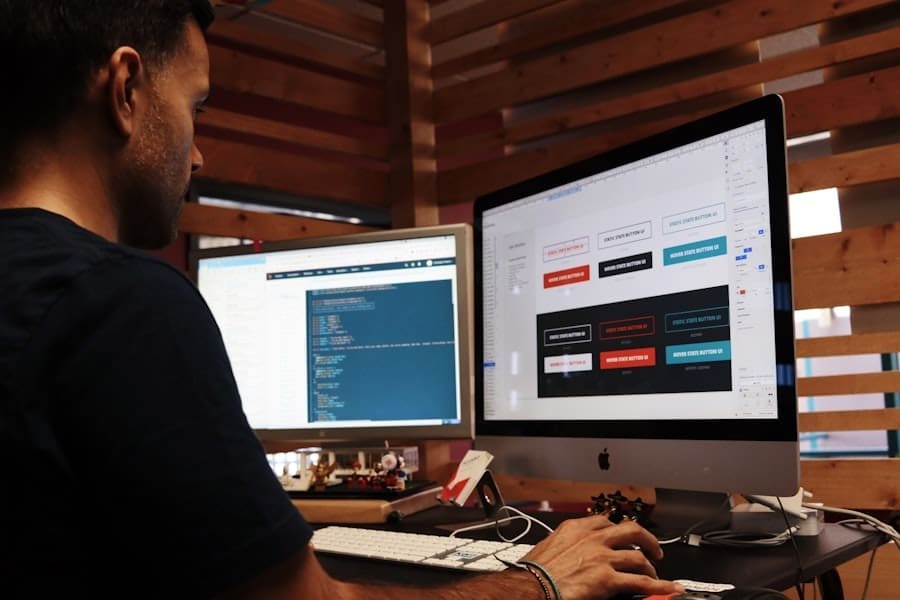
While I was busy making the front-end shine, I knew that for truly dynamic websites, I needed a back-end. This is the engine room, the server-side logic that handles data, authentication, and more complex operations. My journey into the back-end was a natural progression.
Server-Side Languages: The Brains of the Operation
Just as there are many languages for front-end development, there are numerous options for the back-end. Each has its own strengths and ideal use cases.
Node.js, Python (with frameworks like Django/Flask), Ruby (with Rails), PHP: Exploring the Options
My initial dive into the back-end led me to Node.js. Its ability to use JavaScript on the server-side was incredibly appealing, allowing me to leverage my existing JavaScript knowledge. I also explored Python with Django and Flask, appreciating its readability and vast ecosystem of libraries. The choice of back-end language often depends on project requirements, team expertise, and the desired performance characteristics.
Databases: Storing and Retrieving Information
Every dynamic website needs to store data. Whether it’s user profiles, product catalogs, or blog posts, databases are essential.
SQL vs. NoSQL: Choosing the Right Tool
I learned about the fundamental difference between SQL (Structured Query Language) databases like PostgreSQL and MySQL, which use relational tables, and NoSQL databases like MongoDB, which offer more flexible, document-based storage. The choice depends on the nature of the data and the scalability requirements.
Relational Databases: Structure and Consistency
For projects where data integrity and complex relationships are paramount, I found SQL databases to be the go-to. Understanding SQL queries, joins, and database normalization was crucial for efficient data management.
NoSQL Databases: Flexibility and Scalability
When dealing with rapidly changing data structures or massive scalability needs, I turned to NoSQL databases. Their flexibility allows for easier adaptation and often provides better performance for certain types of operations.
APIs: Connecting the Front-End and Back-End
APIs (Application Programming Interfaces) are the contracts that allow different software components to communicate. In web development, they are critical for connecting the front-end to the back-end.
RESTful APIs: The Standard Approach
I spent significant time learning about RESTful API design principles. This involves using HTTP methods (GET, POST, PUT, DELETE) to interact with resources, and data is typically exchanged in formats like JSON. Building and consuming RESTful APIs became a core part of my back-end development skillset.
Deployment and Beyond: Getting Your Website Online
Building a stunning website is only half the battle. The other half is making it accessible to the world. Deployment is the process of getting your code from your local machine onto a live server.
Hosting Providers: Where Your Website Lives
I explored various hosting options, from shared hosting for small personal projects to dedicated servers and cloud platforms for larger, more demanding applications.
Shared Hosting, VPS, Cloud Hosting (AWS, Google Cloud, Azure): Understanding the Spectrum
Each hosting type has its pros and cons regarding cost, performance, and control. For my early projects, shared hosting was sufficient. As my ambitions grew, I moved to Virtual Private Servers (VPS) and eventually explored the power and flexibility of cloud platforms.
Domain Names and DNS: Your Website’s Address
Securing a domain name is like getting a street address for your website. Understanding how DNS (Domain Name System) works to translate human-readable domain names into IP addresses is essential.
CI/CD: Automating the Deployment Process
As I became more experienced, I embraced Continuous Integration and Continuous Deployment (CI/CD) practices. Tools like GitHub Actions, GitLab CI, and Jenkins automate the process of building, testing, and deploying my code whenever changes are pushed to the repository. This significantly reduces manual effort and minimizes the risk of deployment errors.
In the ever-evolving landscape of web development, understanding the implications of remote work is crucial for developers and teams alike. A recent article explores the benefits and drawbacks of remote work in 2024, shedding light on how this shift impacts productivity and collaboration in the tech industry. For those interested in the intersection of remote work and web development, this insightful piece can be found here: remote work and its effects. By staying informed about these trends, developers can better adapt their strategies to thrive in a changing environment.
Continuous Learning and Growth: The Journey Never Ends
Perhaps the most important aspect of mastering web development is recognizing that it’s a field of constant evolution. New technologies emerge, best practices change, and the landscape is perpetually shifting. My journey has taught me that complacency is the enemy of progress.
Staying Updated: The Ever-Evolving Web
I’ve made it a habit to regularly read industry blogs, follow influential developers on social media, and participate in online communities. This helps me stay informed about the latest trends, tools, and techniques.
Building Projects: The Best Way to Learn
The most effective way I’ve found to solidify my knowledge and learn new skills is by building projects. Whether it’s a personal portfolio, a small utility app, or contributing to an open-source project, hands-on experience is invaluable. Each project presents new challenges and opportunities to learn.
Embracing Challenges: Overcoming Hurdles
There will be moments of frustration, bugs that seem impossible to fix, and concepts that feel overwhelming. I’ve learned that perseverance and a problem-solving mindset are key. Breaking down complex problems into smaller, manageable steps and seeking help from the community are essential strategies.
My journey into web development has been one of continuous discovery and growth. It’s a field that rewards curiosity, dedication, and a willingness to embrace the ever-changing digital world. By mastering the foundational elements, exploring powerful tools, understanding the back-end, and committing to lifelong learning, I believe anyone can build dynamic websites that not only function but also delight and engage users. The web is a canvas, and with the right skills, you can paint masterpieces.