For years, the nine-to-five office grind was my reality. I commuted, I dealt with office distractions, and I often felt like my productivity was a constant battle against external forces. Then came the shift, a global upheaval that ushered in the era of remote work, and with it, a new challenge: how to truly maximize my productivity while working from home. This wasn’t just about adapting; it was about thriving. This article is my personal account, a blueprint I’ve meticulously crafted and refined over time, detailing how I transformed my home into a hub of efficiency and innovation.
Crafting My Optimal Work Environment: My Sanctuary of Focus
My workspace is more than just a desk and a chair; it’s a meticulously designed ecosystem tailored to my personal needs and preferences. I’ve learned that a dedicated and well-equipped environment is the bedrock of sustained productivity.
The Physical Setup: My Command Center
My first step was to identify a specific, dedicated area in my home. I didn’t want to work from my couch or my bed – those spaces are for relaxation, and blurring the lines would only invite distraction. I chose a quiet corner of my spare room, far from the main thoroughfares of my household.
My Ergonomic Haven: Investing in Comfort and Health
I learned early on that neglecting ergonomics leads to discomfort, which inevitably leads to decreased focus. My office chair is an investment I don’t regret; it provides excellent lumbar support and allows for various adjustments. My desk is a standing desk, which I regularly alternate between sitting and standing throughout the day. This simple change has dramatically improved my energy levels and reduced the stiffness I used to experience. I also ensure my monitor is at eye level, preventing neck strain. A good quality external keyboard and mouse are also non-negotiable for me, as they offer a more natural and comfortable typing and navigation experience compared to a laptop’s built-in options.
Lighting and Ambiance: Setting the Mood for Productivity
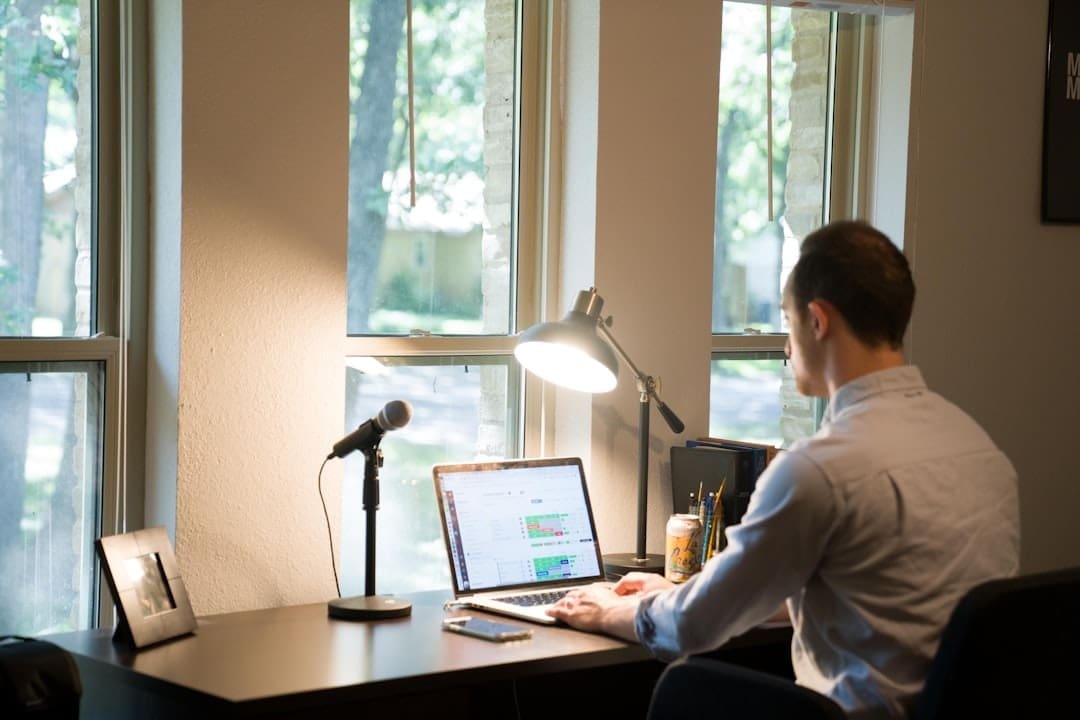
Natural light is my preferred source, so I positioned my desk near a window. On dimmer days or evenings, I use a good quality task lamp that emits a warm, diffused light. I’ve found that harsh overhead lighting can be fatiguing. To further enhance the ambiance, I incorporate a few strategically placed plants. Not only do they add a touch of nature, but studies have shown they can improve mood and concentration. I also pay attention to air quality, ensuring good ventilation to keep the air fresh and circulating.
Minimizing Digital Distractions: My Digital Fortress
While my physical space is important, the digital realm often presents a far greater threat to my focus. I’ve developed several strategies to create a digital fortress around my work.
Notification Management: Taming the Digital Beast
This was one of the biggest hurdles for me. Email pings, social media alerts, instant messages – they all vied for my attention. My solution was ruthless: I turned off all non-essential notifications on my computer and phone during my dedicated work hours. For communication tools like Slack or Microsoft Teams, I’ve set specific “do not disturb” times and communicate these to my colleagues. I also have designated times to check emails and respond to messages, rather than letting them interrupt my flow every few minutes.
Browser Discipline: The Art of Tab Management
Before I started implementing strict browser discipline, I would find myself with dozens of open tabs, each a potential rabbit hole leading to lost time. Now, I use browser extensions that limit the number of tabs I can have open at once and automatically close inactive tabs after a certain period. I also make a conscious effort to open only the tabs absolutely necessary for the task at hand. If I need to research something unrelated, I make a note and revisit it during a designated break or research block.
As the trend of working from home (WFH) continues to evolve, it’s essential to understand both its advantages and challenges. For a deeper exploration of this topic, you can read the article that discusses the benefits and drawbacks of remote work in 2024. This insightful piece provides valuable perspectives on how WFH is shaping the future of employment. To learn more, visit this article.
Mastering My Time and Tasks: The Architecture of My Workday
Beyond the environment, how I structure my time and approach my tasks is paramount to my WFH success. I’ve experimented with various methods and have landed on a personalized architecture that works wonders for me.
The Power of Planning: My Daily Roadmap
I start each workday with a clear plan. This isn’t just a list; it’s a strategic roadmap.
Prioritization Techniques: The Eisenhower Matrix and Beyond
Before I even open my laptop, I use a combination of the Eisenhower Matrix and personal judgment to prioritize my tasks. I categorize them as Urgent/Important, Important/Not Urgent, Urgent/Not Important, and Not Urgent/Not Important. My focus is primarily on the “Important” categories. I also identify my “Most Important Task” (MIT) for the day, the one thing that, if completed, would make the day a success. This single focus helps me avoid getting bogged down in less critical items.
Time Blocking: My Sacred Focus Periods
I am a fervent believer in time blocking. I carve out specific blocks of time for different types of work – deep work, meetings, email responses, administrative tasks, and breaks. During deep work blocks, I close all communication tools and dedicate myself entirely to a single, complex task. This is where I achieve my most significant progress. I use a digital calendar to visually represent these blocks, and I treat them as non-negotiable appointments with myself.
Optimizing My Workflow: Strategies for Efficiency
Once my plan is in place, I employ several strategies to execute it efficiently.
The Pomodoro Technique: Focused Sprints with Purposeful Breaks
The Pomodoro Technique has been a game-changer for me. I work in focused 25-minute intervals, followed by a 5-minute break. After four Pomodoros, I take a longer 15-30 minute break. This method keeps my mind sharp, prevents burnout, and ensures I’m taking regular, deliberate pauses. During my short breaks, I might stretch, grab a glass of water, or simply look away from my screen. During longer breaks, I step away from my workspace completely.
Batching Similar Tasks: Streamlining My Efforts
I’ve found that switching between different types of tasks (e.g., writing code, then answering emails, then designing a graphic) is highly inefficient due to the context-switching cost. To combat this, I batch similar tasks together. I dedicate a specific time slot to answering all my emails, another for administrative tasks, and so on. This allows me to get into a “flow state” for each type of work, leading to faster and more accurate completion.
Nurturing My Well-being: The Fuel for Sustained Productivity
I’ve learned the hard way that productivity isn’t just about work; it’s intricately linked to my physical and mental well-being. Neglecting these aspects inevitably leads to burnout and a sharp decline in my output.
Establishing Healthy Boundaries: Protecting My Personal Life
The blurring of lines between work and home is a significant challenge with WFH. I’ve had to be very deliberate in establishing and maintaining boundaries.
Defining My “Off-Hours”: The Unplugging Ritual
At the end of my workday, I have a specific ritual. I shut down my computer, put away any work-related materials, and often change out of my “work clothes.” This signals to my brain that the workday is over. I avoid checking work emails or messages outside of these hours, except for genuine emergencies (which I’ve thankfully rarely encountered). This complete disengagement allows me to truly recharge and be present for my personal life.
Communicating Availability: Setting Expectations with Colleagues
I’ve made it a point to clearly communicate my working hours and expected response times to my colleagues. This manages their expectations and reduces the pressure to be “always on.” Most importantly, I’ve learned to say “no” to requests that fall outside my scope or reasonable working hours, without guilt.
Prioritizing Self-Care: My Non-Negotiables
Self-care isn’t a luxury; it’s a necessity for me to perform at my best.
Regular Movement: Beyond the Desk
Sitting for prolonged periods is detrimental to both physical and mental health. I make sure to incorporate regular movement into my day. This includes taking short walks during my longer breaks, doing some stretches, or even a quick dance break when I need a burst of energy. I also make it a point to engage in more strenuous physical activity, like a run or a gym session, outside of my work hours.
Mindful Breaks and Nutrition: Nourishing Body and Mind
My breaks aren’t just about stepping away; they’re about mindful nourishment. I make an effort to prepare healthy, balanced meals and snacks. I avoid sugary drinks and processed foods, which can lead to energy crashes. During my breaks, I might practice a short meditation, listen to calming music, or simply sit in silence and enjoy a cup of tea. These small moments of mindfulness help clear my head and reduce stress.
Sure, here is the sentence with the clickable link:
Check out the amazing features of Story Bible Studio for all your storytelling needs.
Leveraging Technology Wisely: My Digital Toolkit
While I emphasize minimizing digital distractions, I also acknowledge the immense power of technology when used strategically. My WFH setup is augmented by a carefully selected digital toolkit.
Project Management Tools: My Organizational Backbone
Without the impromptu hallway conversations or quick desk visits, clear project management is crucial. I rely heavily on tools that help me visualize my workload and collaborate effectively.
Task Trackers: Keeping Everything Accountable
I use a task management application (I’ve tried several, but Trello and Asana are my current favorites) to keep track of all my projects and individual tasks. Each task has a due date, priority level, and detailed description. This helps me avoid anything slipping through the cracks and provides a clear overview of my progress. I review this at the beginning and end of each day.
Collaboration Platforms: Bridging the Distance
For team collaboration, platforms like Slack and Microsoft Teams are indispensable. However, as I mentioned, I’m strict about notification management. I use these platforms for quick questions, sharing updates, and participating in virtual team meetings. I also leverage shared document platforms (like Google Drive or SharePoint) to facilitate real-time collaboration on projects.
Communication and Connectivity: Maintaining the Human Element
Working remotely can sometimes feel isolating, so I prioritize tools that help me stay connected.
Video Conferencing: Face-to-Face Without the Commute
Video conferencing tools like Zoom or Google Meet are essential for meetings, both internal and external. I always turn my camera on to foster a sense of connection and engagement. I’ve found that seeing my colleagues’ faces, even virtually, significantly improves communication and strengthens team bonds.
Digital Whiteboards and Brainstorming Tools: Fostering Innovation
For brainstorming sessions or collaborative problem-solving, digital whiteboards (like Miro or Jamboard) have been incredibly useful. They allow us to visually share ideas, organize thoughts, and work together in real-time, replicating some of the benefits of an in-person whiteboard session.
As more companies embrace the concept of remote work, many employees are discovering the benefits of a flexible schedule and a comfortable home office environment. For those looking to optimize their work-from-home experience, it’s essential to explore various strategies and tips. A great resource for this is an insightful article that delves into the nuances of remote work and offers practical advice on how to maintain productivity while enjoying the perks of working from home. You can read more about it in this informative piece.
Continuous Improvement: My Iterative Approach to Productivity
My journey to maximizing WFH productivity is not a static one; it’s an ongoing process of learning, adapting, and refining.
Regular Reflection: My Weekly Productivity Audit
At the end of each week, I dedicate a short period to reflect on my productivity. I ask myself: What went well this week? Where did I struggle? What distractions emerged? What changes can I implement next week to improve? This self-assessment is crucial for identifying patterns and making necessary adjustments.
Staying Updated with New Techniques and Tools: My Growth Mindset
The world of remote work and productivity is constantly evolving. I make an effort to stay informed about new productivity techniques, software, and best practices. I read articles, listen to podcasts, and experiment with different approaches to see what further enhances my workflow. This growth mindset ensures I’m always striving for greater efficiency and effectiveness.
Seeking Feedback and Sharing Experiences: My Collaborative Learning
I actively engage with my colleagues and professional network about their WFH experiences. We share tips, challenges, and solutions. Learning from others’ perspectives often provides valuable insights and alternative strategies that I might not have considered on my own. This collaborative learning environment not only helps me, but also contributes to a more productive remote workforce overall.
Ultimately, maximizing my productivity while working from home has been a deeply personal journey, marked by continuous experimentation and a steadfast commitment to my well-being. It’s about building a robust framework of habits, tools, and boundaries that allows me to not only meet my professional goals but also thrive in my personal life. For me, WFH isn’t just about flexibility; it’s about empowerment, and I’ve embraced the challenge of making it truly work for me.