The best writing apps for your phone and laptop: note-taking, drafting, planning and story tools that help you write anywhere.
Navigating the Digital Writing Landscape
As a writer in the 21st century, my tools are no longer limited to a pen and paper. The digital world has opened up a plethora of options, transforming how I capture ideas, draft stories, and refine my prose. The sheer volume of choices, however, can be overwhelming. Over the years, I've experimented with countless applications, seeking out those that best cater to my diverse writing needs, whether I'm crafting a novel on my laptop or jotting down a fleeting thought on my phone.
This exploration has led me to a curated list of apps that have become indispensable in my daily routine, each offering unique strengths that complement my workflow. My focus has always been on functionality, ease of use, and cross-platform compatibility, as I frequently switch between devices throughout my day. I need apps that don't just exist on my devices, but truly integrate into my creative process, making writing more efficient and enjoyable.
The Evolving Demands of a Modern Writer
My writing journey is rarely linear. It involves bursts of inspiration, periods of meticulous outlining, intensive drafting, and painstaking revision. Each stage demands different functionalities from my tools. For instance, when an idea strikes, I need something quick and unobtrusive to capture it, regardless of where I am. Later, when I'm deep into drafting, I require an environment that minimizes distractions and maximizes focus.
And finally, during the editing phase, I look for robust tools that can help me refine my language, check for grammar, and even analyze readability. The ideal writing app, for me, isn't a one-size-fits-all solution, but rather a suite of specialized tools that seamlessly integrate and support my entire creative process. This is why I rarely rely on just one app; instead, I build a personal ecosystem of applications that work in harmony.
If you're looking to enhance your writing experience on both your phone and laptop, you might find it helpful to explore the article on remote work, which discusses the benefits and drawbacks of this lifestyle in 2024. Understanding how remote work can influence your writing habits and productivity can provide valuable insights. You can read more about it in the article here: Remote Work: Exploring Benefits & Drawbacks in 2024.
Essential Tools for Idea Capture and Note-Taking
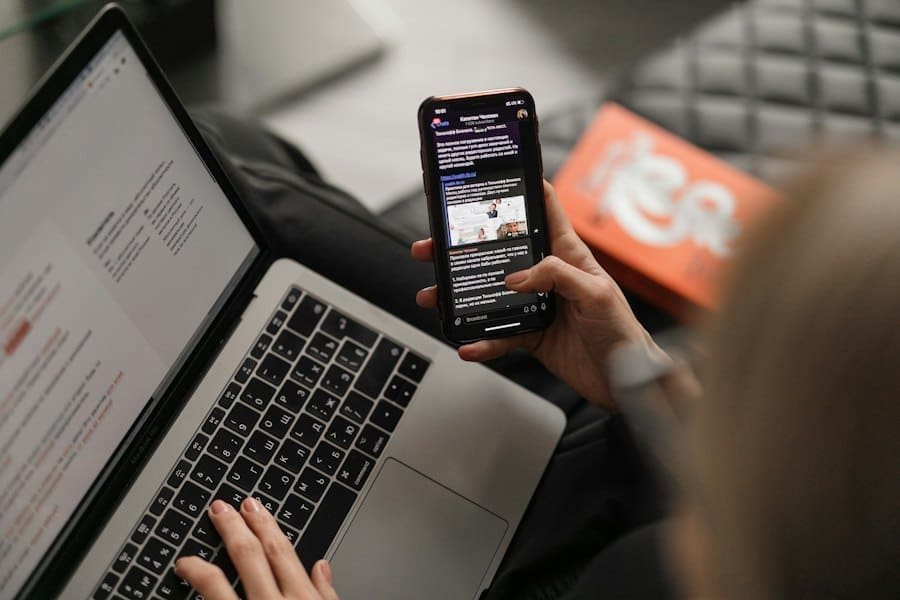
My creative process often begins with a sudden spark – a phrase, a scene, a character concept. Capturing these fleeting thoughts before they vanish is paramount. For this, I rely heavily on apps that prioritize speed, accessibility, and intuitive organization. I need to be able to open an app, jot down my idea, and move on, confident that it will be there when I'm ready to expand upon it.
Simplenote: Uncluttered Simplicity
For pure, unadulterated note-taking, Simplenote is my go-to. Its name says it all: it's incredibly simple. I love its minimalist interface, which presents a blank canvas free from distractions. On my phone, I can open it in seconds and type out a quick idea, a memorable quote, or a to-do list item. On my laptop, it syncs instantly, allowing me to access and expand upon those notes without any fuss.
The search function is remarkably fast, which is crucial when I have hundreds of scattered notes. I appreciate its tagging system, which allows me to categorize my notes without cumbersome folder structures. For me, Simplenote acts as a digital scratchpad, a place where raw ideas can live and breathe before they evolve into more structured content. It's the digital equivalent of a stack of index cards, always ready for a new thought.
Evernote: The Digital Filing Cabinet
While Simplenote excels in brevity, Evernote steps in when I need to capture more complex information. It's my digital filing cabinet, capable of storing not just text, but also web clippings, images, audio notes, and even PDFs. If I'm researching a topic for an article, I'll clip relevant web pages directly into Evernote, highlighting key sections and adding my own annotations. Its robust search capabilities are a lifesaver, allowing me to find specific words or phrases within any type of note, including handwritten text in images (thanks to its OCR technology).
I use its notebook and tag system extensively to keep my research organized by project, character, or theme. The ability to create checklists within notes is also incredibly useful for tracking progress on various tasks. While it can feel a bit feature-heavy at times, I've learned to leverage its power without getting bogged down by its complexity, focusing on the features that truly enhance my research and organizational workflow.
Dedicated Word Processors for Focused Drafting

When it's time to move beyond notes and into serious drafting, I shift my focus to apps designed specifically for extended writing sessions. My primary criteria here are a distraction-free environment, robust formatting options, and reliable autosave functionality. I need to feel confident that my work is secure and that the interface won't pull my attention away from the words on the page.
Scrivener: The Novelist's Best Friend
For long-form projects like novels, screenplays, or extensive academic papers, Scrivener is simply unmatched. It's not just a word processor; it's an entire writing studio. What I love most about Scrivener is its ability to break down a large project into manageable chunks. I can create individual scenes, chapters, or sections as separate documents within a single project, allowing me to rearrange them with ease using its virtual corkboard. This visual approach to organization is incredibly powerful for plotting and structuring complex narratives.
I can keep research materials, character sketches, and outlines right alongside my manuscript, accessible with a single click. The "composition mode" offers a completely distraction-free full-screen environment, stripping away all menus and toolbars so I can focus solely on my words. While it has a learning curve, the investment in time is well worth it for any serious long-form writer. The feeling of control it gives me over my entire project is unparalleled.
+ Join Our Writing Community for FREE
Chain Story Online
Fun, free, flash fiction writing with writers just like you. You have ~100 words to begin a story or continue a story and make it yours.
Story Bible Studio
Digital space for writers to plot, plan, and build better stories. Designed by writers for writers. Your final draft awaits.
Ulysses: Elegant and Minimalist Markdown
When I'm working on articles, essays, or blog posts where I prefer a clean, markdown-based workflow, Ulysses is my preferred choice. Its elegant interface is a joy to behold, presenting a beautiful writing environment free from clutter. I love working with Markdown; it allows me to format my text quickly and efficiently without ever lifting my hands from the keyboard. Ulysses handles Markdown beautifully, offering a real-time preview of how my text will look. Its organization system, based on "sheets" and "groups," is intuitive and flexible, making it easy to manage multiple writing projects.
The ability to set writing goals and track progress within the app is a nice touch, providing a gentle nudge to keep me on track. What truly sets Ulysses apart for me is its seamless syncing across all my Apple devices. I can start writing an article on my MacBook, continue refining it on my iPad, and even make quick edits on my iPhone, all without missing a beat. The export options are also robust, allowing me to output my work in various formats, including PDF, DOCX, HTML, and even directly to WordPress.
Collaborative Writing and Cloud-Based Solutions
The modern writing landscape often involves collaboration, whether I'm working with an editor, a co-author, or simply soliciting feedback from trusted readers. Cloud-based solutions have revolutionized this aspect of my writing life, enabling seamless sharing, real-time editing, and version control.
Google Docs: The King of Collaboration
For any project involving collaboration, Google Docs is my undisputed champion. Its real-time collaborative editing features are simply indispensable. I can share a document with an editor, and we can both be working on it simultaneously, seeing each other's changes as they happen. The comment feature is excellent for giving and receiving feedback, allowing me to address specific points in the text without disrupting the flow. The suggestion mode is also brilliant for tracking proposed changes, giving me the ultimate control over what gets accepted or rejected.
I appreciate that it's entirely web-based, meaning I can access and work on my documents from any device with an internet connection, regardless of the operating system. While it might not offer the same deep organizational features as Scrivener or the elegant markdown of Ulysses, its collaborative prowess makes it an essential tool in my arsenal, particularly for projects that require iterative feedback and multiple contributors.
Microsoft Word: The Industry Standard (with Cloud Integration)
While I often prefer Google Docs for real-time collaboration, there are still times when Microsoft Word is the necessary evil, or rather, the necessary standard. Many clients and publishers still prefer submissions in .docx format, and Word's advanced formatting capabilities can be crucial for complex layouts. However, the desktop version alone wouldn't make this list. It's the integration with OneDrive and its online collaborative features that elevates it.
While not as fluid as Google Docs, Word's cloud-based version allows for co-authoring, tracking changes, and commenting, making it a viable option for collaborative efforts, especially when the final output requires specific Word features. I find myself using Word more for final polishing and adherence to specific submission guidelines rather than for initial drafting or brainstorming. Its familiarity and ubiquity mean I can almost always open and work on a document without compatibility issues, which is a significant advantage in professional settings.
If you're looking to enhance your writing experience even further, you might find it helpful to explore a related article that discusses essential tools for writers. This article delves into various resources that can complement the best writing apps for your phone and laptop, providing insights into how to optimize your writing process. For more information, check out this helpful resource that can guide you in selecting the right tools for your creative journey.
If you're looking for a collaborative writing platform, check out Chain Story Online. It's a great way to connect with other writers and create stories together. Many users have found inspiration and creativity through Chain Story Online.
Enhancing and Polishing My Prose
Once the initial drafting is complete and even after some collaborative feedback, the work isn't truly done. This is where apps designed to enhance and polish my prose come into play. These tools help me refine my language, catch grammatical errors, and ensure clarity and conciseness.
Grammarly: My Personal Editor
Grammarly is, without a doubt, my most consistently used editing assistant. It's an AI-powered writing tool that goes beyond basic spell-checking. It checks for grammar, punctuation, clarity, engagement, and even delivery, offering suggestions that significantly improve the overall quality of my writing. I use it as a browser extension, a desktop app, and even integrate it with some of my writing applications.
While it's not a substitute for a human editor (nor should it be treated as such), it catches a remarkable number of errors that I might otherwise miss, especially after staring at my own words for hours. It helps me identify repetitive phrasing, passive voice, and overly complex sentences, pushing me to write more clearly and concisely. I particularly appreciate its suggestions for varying word choice and improving sentence flow. It's like having a vigilant second pair of eyes constantly reviewing my work.
ProWritingAid: Deeper Linguistic Analysis
While Grammarly focuses on immediate improvements, ProWritingAid delves deeper into the mechanics and style of my writing. It offers a more comprehensive suite of reports, analyzing aspects like sticky sentences, overuse of certain words, clichés, readability scores, and even pacing. When I'm working on a longer piece, I often run it through ProWritingAid after an initial pass with Grammarly.
Its reports highlight areas where my writing might be becoming clunky or repetitive, giving me actionable insights to improve my craft. For instance, its "diction" report helps me identify weak verbs or redundant adverbs, while the "readability" report provides metrics like Flesch-Kincaid grade level, which is useful for ensuring my writing is accessible to my target audience. It's a fantastic tool for self-editing and continuously improving my writing skills, turning me into a more conscious and deliberate writer.
If you're looking to enhance your writing experience, you might also find interest in an article that explores various productivity tools tailored for writers. This resource provides insights into how to streamline your writing process and stay organized, making it a perfect complement to The Best Writing Apps for Your Phone and Laptop. For more information, check out the article on productivity tools here.
Beyond the Core: Specialized and Supportive Apps
While the aforementioned apps form the backbone of my writing workflow, there are a few specialized tools that occasionally make their way into my process, addressing specific needs or enhancing particular aspects of my writing journey. These are not always daily drivers but are invaluable when their particular function is required.
Focus@Will: Aural Concentration
Sometimes, the biggest obstacle to writing isn't a lack of ideas, but a lack of focus. This is where Focus@Will comes in. It's not a writing app in the traditional sense, but an audio tool designed to boost concentration and productivity. It plays scientifically optimized instrumental music and sounds that are specifically engineered to help me block out distractions and enter a flow state.
Whether I'm in a noisy coffee shop or struggling with internal distractions at home, putting on my headphones and launching Focus@Will often helps me zero in on my writing. It’s a tool for my environment, rather than my words, but it directly impacts the quality and quantity of my output by providing the mental space needed for deep work.
Obsidian: The Knowledge Graph
For personal knowledge management and non-linear note-taking, Obsidian has carved out a unique niche. While not a direct word processor, it’s where I cultivate my interconnected thoughts and research. What I love about Obsidian is its "graph view," which visually links all my notes together, revealing connections and patterns I might not have otherwise noticed. I use it to brainstorm complex plotlines, develop intricate character backstories, and build a web of interconnected ideas that feed into my various writing projects.
It’s particularly powerful for creating a "second brain" – a personal knowledge base where every idea is a node, and the relationships between them are clear. While it has a steeper learning curve than Simplenote or Evernote, its power for complex information organization and idea generation is immense, particularly for creative projects that require extensive world-building or research. It acts as a generative engine for my writing, rather than just a storage device.
Yoast SEO (for WordPress): Optimizing for the Web
When my writing is destined for the web, particularly blog posts or articles published on a WordPress site, Yoast SEO becomes a crucial final step. While it's not a standalone writing app, it integrates directly into the WordPress editor and helps me optimize my content for search engines. It analyzes my text for readability, keyword density, internal and external links, and suggests improvements to make my articles more visible online.
As a writer, I want my work to be read, and Yoast provides the guidance needed to structure my web content effectively, ensuring it reaches its intended audience. It forces me to think not just about the quality of my prose but also its discoverability, a vital consideration in the digital age.
Final Thoughts on Writing Apps
In conclusion, my digital writing toolkit is a dynamic ecosystem, not a monolithic entity. Each app serves a specific purpose, contributing to a fluid and efficient workflow that supports me from the first spark of an idea to the final polished draft. By carefully selecting and integrating these tools, I've transformed my writing process, making it more organized, collaborative, and ultimately, more productive. The best writing apps, for me, are those that fade into the background, allowing my words to take center stage.
Ready to plan your story? Story Bible Studio keeps characters, worlds and plot notes in one place. Create your free Story Bible Studio account.
Related reading: Kindle vs Paper Books: Is an E-Reader Worth It? · How to Use ChatGPT and Other AI Tools in Everyday Life
Enda Storrie is a writer and the creator of Story Bible, the planning journal and app for writers, and Chain Story Online, a free collaborative storytelling platform.